Backend app documentation
Install & Run
The app require the postgres database. Run the postgres database and provide the following environment variables:
- DB_URL - the url to data, include
sslmode=requireif your install of database needs it. - DB_USER - the username. The user must have read access to all database
- DB_PASSWORD - the database password
Deploy your own instance of service by digital ocean app platform

Not stable
Docker
The repository has DockerFile, the file create fully ready docker image.
Run as java app
Clone project and install java.
Build jar file
gradle shadowJar
Copy jar file to root
cp build/libs/*.jar ktor-docker-sample.jar
Start a java app
java -jar src/build/libs/*.jar
Application settings
The app can configure by resources/application.conf
Development
- Clone the repo.
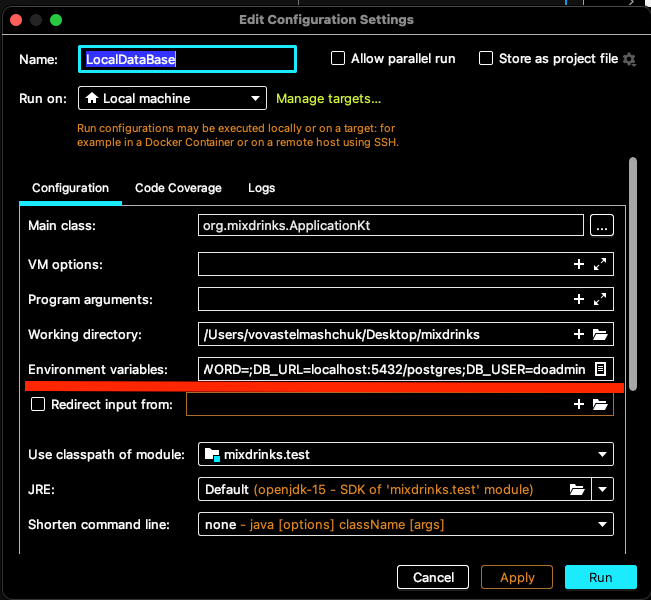
- Set up the local postgres database
- Add environment variable, DB_URL, DB_USER, DB_PASSWORD, Check Install & Run for more details.
App tech stack
The app powered by Ktor and Kotlin. The app use Postgres as database. You can use Docker to run the app. App use Kotlin exposed for work with database.
Tests
The app has tests. The test written in Kotest. End-to-end tests verify user end flow. Mock the database and verify endpoint responses. The unit tests verify the logic of the app.
Version name і Version code
Почитати про версіонування можна в документації